Saturday, September 18, 2004
Saving Text (Words)
As you surf through the Web, you'll find a lot of things you'd like to see again later. You might even want to save something to share with a friend who isn't connected to the Internet. IE5 lets you save text or images from the page. This snappy program even lets you save entire Web page--images and all!
To save text from the Web:
1) Select the text on a page by holding down your mouse button as you move over it. A highlight block appears over the text.
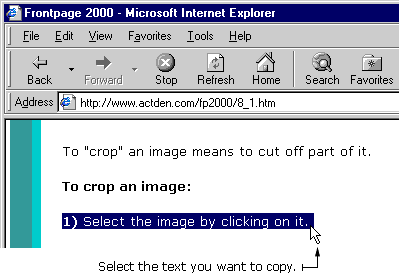
2) Press the CTRL key and the C key on your keyboard at the same time. This action copies the text.
3) Open Microsoft Word or another text program.
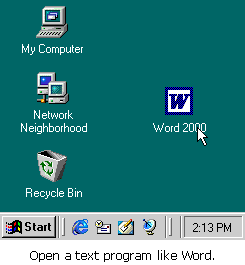
4) Place your cursor into an open Word page.
5) Press the CTRL + V keys at the same time. This action pastes the text onto the page.
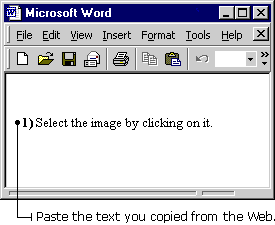
6) Save the text in Word.


