Saturday, September 18, 2004
Saving an Entire Web Page
To save an entire Web page:
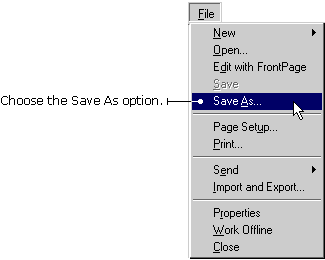
1) With the page open in IE5, click File on the Menu bar and choose Save As. The Save As Web page dialog box appears.
2) Double-click the folder where you want to save the page.
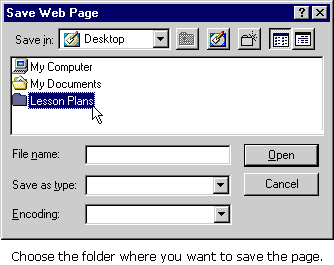
3) Type a name for the page in the File name box.
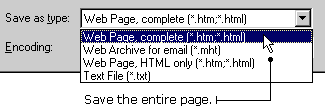
4) In the Save as Type drop-down box, select Web Page, complete.
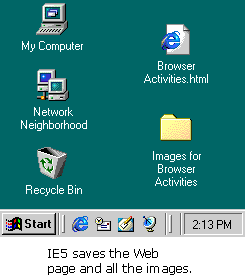
5) IE5 saves the page and stores all the pictures in an images folder.